
Set up your mobile data hotspot
After you qualify, you will be contacted with instructions to pick up your device. Instructions on how to set up your device are included inside the box. Your device is already activated and your internet should begin as soon as you have set up the device.
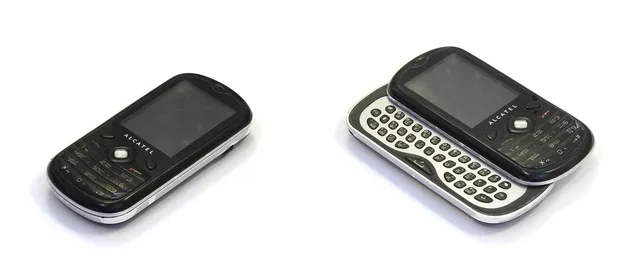
alcatel LinkZone 2
|
The alcatel LinkZone 2 devices come in a white box with blue lettering. When you open the box, you should see:
|
1 |
Insert the battery. The battery will need to be charged or charging before the device can be used. You can use the device while it is being charged.
|
2 |
Turn on the device. Press and hold the power button on the back of the device for at least two seconds. The icon lights on the front of the device will turn on:
|
3 |
Connect to the network. Locate the Important Information sheet. If you lose the Important Information sheet, you can find the WiFi name (SSID) and WiFi password on an information sticker inside the hotspot device, underneath the battery.
|
Franklin T9
|
The Franklin T9 devices come in a black box with gray lettering. When you open the box, you should see:
|
1 |
Install the SIM card. Locate the SIM card holder inside the box. (This will look like a credit card with a small half-inch SIM card chip suspended in the middle).
|
2 |
Insert the battery. The battery will need to be charged or charging before the device can be used. You can use the device while it is being charged.
|
3 |
Turn on the device and connect to the network. Press and hold the power button on the front of the device for at least two seconds. The LCD screen should say Welcome until it is completely powered on. Press the power button quickly to cycle through the navigation:
|
Sprint R850

|
The Sprint R850 devices come in a white box with a yellow Sprint logo. When you open the box, you should see:
|
1 |
Charge the battery. The battery will need to be charged or charging before the device can be used. You can use the device while it is being charged.
|
2 |
Turn on the device. Press and hold the power button on the front of the device for at least two seconds. The LCD screen should say Welcome until it is completely powered on.
|
3 |
Connect to the network. Press the power button quickly to cycle through the navigation:
|
Troubleshoot your hotspot
1 |
Contact Sprint directly at 1-. Common issues that can be addressed through Sprint include:

When contacting Sprint:
|
2 |
If Sprint cannot address your issue, contact PCs for People directly by calling or by email at [email protected].
|
3 |
If Sprint or PCs for People cannot address your issue OR if they verify that your device must be replaced, fill out the form below to report the issue to CCSB to resolve.
|
Still having issues with your hotspot? |
|
Click the button to fill out a form to report any other issues to Citywide Classroom South Bend. CCSB will respond to you within one week. For questions about the troubleshooting form or process, contact Citywide Classroom at [email protected] or by calling .